Thursday, 28 March 2013

All Mobile codes.....!!


 FOR LG
LG all models test mode:
Type 2945#*# on the main screen.
2945*#01*# Secret menu for LG
IMEI and SW (LG 510): *#07#
Software version (LG B1200): *8375#
Recount cheksum (LG B1200): *6861#

Factory test (B1200): #PWR 668
Simlock menu (LG B1200): 1945#*5101#
Simlock menu (LG 510W, 5200): 2945#*5101#
Simlock menu (LG 7020, 7010): 2945#*70001#
Simlock menu (LG 500, 600): 2947#*

LG-U81XX SPECIAL CODES
Code to read phone version :
- Phone without SIM
- Enter 277634#*# or 47328545454#
- Select ‘SW Ver.info’
Code to reset phone :
- Phone without SIM

- Enter 277634#*# or 47328545454#
- Select ‘Factory Reset’

Code to enter UNLOCK MENU :
- Phone wit SIM inside
- Enter 2945#*88110#
Test Menu 8330 : 637664#*#
Test Menu 8180 V10a: 49857465454#
Test Menu 8180 V11a: 492662464663#
Test Menu 8130-8138: 47328545454#
Test Menu 8110-8120: 277634#*
LG all models test mode:

Type 2945#*# on the main screen.
2945*#01*# Secret menu for LG
IMEI and SW (LG 510): *#07#
Software version (LG B1200): *8375#
Recount cheksum (LG B1200): *6861#
Factory test (B1200): #PWR 668
Simlock menu (LG B1200): 1945#*5101#
Simlock menu (LG 510W, 5200): 2945#*5101#
Simlock menu (LG 7020, 7010): 2945#*7000
1#
Simlock menu (LG 500, 600): 2947#*


LG-U81XX SPECIAL CODES
Code to read phone version :
- Phone without SIM
- Enter 277634#*# or 47328545454#
- Select ‘SW Ver.info’
Code to reset phone :
- Phone without SIM

- Enter 277634#*# or 47328545454#
- Select ‘Factory Reset’

Code to enter UNLOCK MENU :
- Phone wit SIM inside

- Enter 2945#*88110#
Test Menu 8330 : 637664#*#
Test Menu 8180 V10a: 49857465454#
Test Menu 8180 V11a: 492662464663#
Test Menu 8130-813
8: 47328545454#
Test Menu 8110-8120: 277634#

==================================================
FOR NOKIA
To check the phones Software revision for Nokia Mobile.
On the main screen type
*#0000#

To enter in the secret menu in Nokia Phone.
On the main screen type
*#92702689# [*#war0anty#]
It will take you to a secret menu where you may find some of the information below:
1. Displays Serial Number.
2. Displays the Month and Year of Manufacture
3. Displays (if there) the date where the phone was purchased (MMYY)
4. Displays the date of the last repair – if found (0000)
5. Shows life timer of phone (time passes since last start)

To restore Factory Settings for Nokia mobile
*#7780# reset to factory settings.

Taking picture without getting noticed.
Turn on/off the “click” sound made by the camera by selecting the ‘Silent’ profile or by turning warning tones on/off.

Hiding your Mobile/ Cellphone Number
Go to: Menu > Tools > Settings > Call > Send My Caller ID >
‘Yes’, ‘No’ or ‘Set By Network’ to follow the default settings of your home network.
It works only with very few network who provide you facility of “Private Number”

Speed Dialing From Simcard contact (not stored in mobile phonebook)
Type number followed by # then call.
Example: 1# or 2# or 21#

==================================================
FOR SAMSUNG
If you have downloaded corrupted or incompatible Java midlets or other media,
which are causing problems with the phone, try this
*2767*JAVA# Java Reset and (Deletes all Java Midlets)
*2767*MEDIA# Reset M
edia (Deletes All Sounds and Pics)
*2767*WAP# Wap Reset
*2767*CUST# Reset Custom EEPR0M
*2767*FULL# Reset Full EEPR0M (Caution)
For example : *2767*JAVA# would be keyed in as *2767*5282#
Note : Not all codes will work with SGH-C100.

The master reset code is: #*7728#
This will not delete anything from your
mobile phone, but set each and eveything to its
default/standard setting as it was on the time of purchase.

To unlock your phone put a sim from another company,
now type
*#9998*3323# it will reset your phone. Push exit and then push 7,
it will reset again. Put your other sim in and it will say sim lock,
type in
00000000 then it should be unlocked. Type in *0141# then
the green call batton and it’s unlocked to all networks.
This code may not work on the older phones and some of the newer phones.
If it doesn’t work you will have to reset your phone without a sim in it
by typing
*#2767*2878# or *#9998*3855# (not tested)
Other Samsung Codes *#9998*4357# Help Menu *#9998*5282# Java menu (GRPS/CSD settings for JAVA server) *#9999#0# Monitor Mode
*#9999# or *#9998*9999# Software Version
*#8888# or *#9998*8888# Hardware Version
*#9998*746# or *#9998*0746# or *#0746# Sim Infos
*#9998*523# or *#9998*0523# or *#0523# Display Contrast
*#9998*842# or
*#9998*0842# or *#0842# Vibration On (until you push OK)
*#9998*289# or *#9998*0289# or *#0289# Buzzer On (until you push OK)
*#9998*288# or *
#9998*0288# or *#0288# Battery & Field Infos
*#9998*377# or *#9998*0377# Error log
*#9998*778# or *#9998*0778# or *#0778# Sim Service table
*#9998*782# show date and alarm clock
*#8999*638# show network information
*#9998*5646# change operator logo at startup
*#9998*76# production number
*#9998*968# view melody for alarm
*#9998*585# Non-Volatile Memory (NVM) *#3243948# Digital Audio Interference Off *#32436837# Digital Audio Interference On
==================================================
FOR MOTOROLA
Code to lock keys. Press together *7
Note: [] (pause) means the * key held in until box appears.
Select phone li
ne – (use this to write things below the provider name):
[] [] [] 0 0 8 [] 1 []

Add phonebook to main menu:
[] [] [] 1 0 5 [] 1 []
Add messages to main menu:
[] [] [] 1 0 7 [] 1 []

Copy SIM memory (phonebook menu):
[] [] [] 1 0 8 [] 1 []

Eng Field options (main menu):
[] [] [] 1 1 3 [] 1 []

Slow (Frequency of search menu):
[] [] [] 1 0 1 [] 1 []

Medium (Frequency of search menu):
[] [] [] 1 0 2 [] 1 []

Fast (Frequency of search menu):
[] [] [] 1 0 3 [] 1 []

Enable EFR:
[] [] [] 1 1 9 [] 1 []

Function :
[] [] [] # # # [] 1 []

Change pin:
[] [] [] 0 0 4 [] 1 []

Unblocking using the “puk” number:
[] [] [] 0 0 5 [] 1 []

You can change GSM frequencies to 900/1800 by entering the enginnering model.
Following the below steps:
enter menu and press 048263* quickly,
then you will enter the secret engineering menu under “Opcode”
input 10*0*3 for GSM 900
10*0*4 for GSM 1800
10*0*5 for GSM 1900
10*0*6 for dual band GSM 900/1800
10*0*7 for dual band GSM 850/1900

To add extra message space 4 your Motorola C350 C450 C550 or C650,
press menu button, press 048263* quickly, then on the popup menu enter 47 press ok.
press 50 and ok.press 1 ok.press 64 ok.press 1 ok.press 186 and ok.
You will receive an extra 50 msgs memory space.Switch phone off and back on
.
==================================================
Sony Ericsson
Sony Ericsson Secret Menu:
> * < < * means press joystick or arrow keys to right
< means press joystick or arrow keys to left
1. push joy stick to RIGHT once
2. press *
3. push joy stick to LEFT twice
4. press *
5. push joy stick to LEFT once
6. press *

The Service Menu will appears containing following information !
1. Service Info
a. Software Version
b. SIMlock

c. Configuration
2. Service Setting
a. Contrast
3. Service Test
a. Display
b. LED/Illumination – *This test is very cool
c. Keyboard
d. Buzzer
e. Vibrator
f. Earphone
g. Microphone
h. Real Time Clock
i. Joystick Counte
r*
Lockstatus: < * * <
Shortcut to last dialed numbers: 0#
Shortcut to sim numbers: On main menu type a number and press #
If you change the language from default to any other language, then it may be difficult to switch to default language.
The shortcut is very simple. Just press
stands for right arrow button or joystick.

Secret Games: Snake on the T68
Go to Erix and then on the main screen press 123 and you will be taken to the game.

Secret Message:
On Tetris on the mai
n screen when the blocks are falling press 397 and a message will appear.
  ======================================
GSM Secret
All the tips and tricks provided by Hidden Tricks is free and its not necessary to sign up also.
Type *#61# and press call – Check call redirection status.
Cancel all redirections: ##002#
*43# to activate call waiting, to deactivate #43#.
If your phone doesn’t have incoming call barring and outgoing call barring, you can try this. For outgoing call barring dial *33*barcode*# and pres OK. To deactivate it dial #33#barcode*#.
On any phone on any network type in **43# to enable conference calls. You can make up to 7 calls at once
If you need to block SMS reception (if you are spammed by someone) just press this code: *35*xxxx*16# xxxx is your Call Barring code (default is 0000). To remove this barring type: #35*xxxx#
If you want to hide/show your phone number when calling, put one of these codes below in front of the number that you are going to call. (*#30# / *#31# or *31# / #31# ) Works on some networks.
Typing *0# or *nm# on the beginning of a txt message gives you detailed delivery report on some networks.. But turn off reports in message settings before.
When the sim card-pin blocked type **042*pin2 old*newpin2*newpin2*
Important:
If you know any other tips & tricks & secrets about GSM mobile or any other mobile which is not listed here then you can post in Memberbook and it will be updated soon with your name
.

Warning:
You can try these codes at your own responsibility ! We are not responsible for any malfunction and we do
n’t accept any complaints.

Facebook Magic Codes!!

Facebook Magic Codes


You may have seen many Facebook status and posts which says you to re post the given post by removing some symbols in the code. When you do so the code changes  into text magically.


Below I Listed Some of the Codes.. Have fun..


1) Copy any one of the codes.

2) Paste them in your Facebook status or comments.

3) Then remove the "+" sign then press Enter.


Started With Our Site Name, Here Are The Codes.

  • @+[110871649075947:0] - CS Tricks
  • @+[290169721005985:0]  -  I Love You
  • @+[263812423664428:0]  -  I am always with you
  • @+[172417706184835:0]  -  Ye Dosti hum nahi todenge
  • @+[291116797575161:0]  -  FriendS r EvErYtHiNg
  • @+[125710659238:0]  -  FRIENDS FOREVER
  • {@+[130183157042112:0]}  -  {EVER Green Friendship}
  • @+[145480518867077:0]  -  I Still Love
  • @+[117111614980889:page]  -  VERY FUNNY
  • @+[134282353283788:0]  -  Life is too short smile while you still have teeth
  • @+[276318582393095:0]  -  Chess mania


How To Find This Numeric Code ?

1) Goto your or your friends profile and check the address bar, you will find url as below

https://www.facebook.com/profile.php?id=117111614980889

OR

2) If your friend set his username then -- On the place of www just write graph and hit enter. Doing this step will show you  the username of your friend.
Example : https://graph.facebook.com/ put friends username here
Please Recommend Us On Google     


How To Block My Other Sim Card!!

How To Block My Other Sim Card


This post is a SIM CARD Block Trick.

Just dial,

**04*3814*7529*68243#

Note: Don't try in your SIM card.

Keyboard Shortcuts for Facebook !!

Keyboard Shortcuts for Facebook !!

facebook keyboard shortcuts

                  Facebook is one of the most famous social networking site where most of us spend lots of our time. So here are some usefull keyboards shortcuts for Google chrome and Mozilla Firefox users.


Mozilla Firefox


  • Shift+Alt+1: View your News Feed
  • Shift+Alt+2: View your own Profile
  • Shift+Alt+3: View pop-up of friend requests
  • Shift+Alt+4: View pop-up of messages
  • Shift+Alt+5: View pop-up of notifications
  • Shift+Alt+6: View Account Settings
  • Shift+Alt+7: View Privacy Settings
  • Shift+Alt+8: View Facebook’s own profile
  • Shift+Alt+9: Read latest Terms of Service agreement.
  • Shift+Alt+0: Open Facebook Help Center
      

Google Chrome

  • Alt+1: View your News Feed
  • Alt+2: View your own Profile
  • Alt+3: View pop-up of friend requests
  • Alt+4: View pop-up of messages
  • Alt+5: View pop-up of notifications
  • Alt+6: View Account Settings
  • Alt+7: View Privacy Settings
  • Alt+8: View Facebook’s own profile
  • Alt+9: Read latest Terms of Service agreement.

Wednesday, 30 January 2013

WebSploit Toolkit - Remote System Security Scanner

WebSploit is an open source project which is used to scan and analysis remote system in order to find various type of vulnerabilities. This tool is very powerful and support multiple vulnerabilities.


Key Features

  • Autopwn - Used From Metasploit For Scan and Exploit Target Service
  • wmap - Scan,Crawler Target Used From Metasploit wmap plugin
  • format infector - inject reverse & bind payload into file format
  • phpmyadmin - Search Target phpmyadmin login page
  • lfi - Scan,Bypass local file inclusion Vulnerability & can be bypass some WAF
  • apache users - search server username directory (if use from apache webserver)
  • Dir Bruter - brute target directory with wordlist
  • admin finder - search admin & login page of target
  • MLITM Attack - Man Left In The Middle, XSS Phishing Attacks
  • MITM - Man In The Middle Attack
  • Java Applet Attack - Java Signed Applet Attack
  • MFOD Attack Vector - Middle Finger Of Doom Attack Vector
  • USB Infection Attack - Create Executable Backdoor For Infect USB For Windows
  • ARP DOS - ARP Cache Denial Of Service Attack With Random MAC


WebSploit

Click here to download the websploit.

Making Facebook Phishing Site Tutorial


 In my previous article I taught you people how to make a Phishing site.. Now in this article i am going to teach you how to set up the Phishing site, which is the Difficult task than making a Phishing site.

Step 1: The First Step in Making the site is to regester an account at http://www.p4o.net/signup.php (if you have account than you can skip first 2 steps)


Step 2: Now Goto your email account that you gave and confirm your account with confirmation link


Step 3: Now Download this FILE http://www.mediafire.com/?bf46ji3sg321ydf ) .

Step 4: Now Goto http://www.p4o.net/login.php and Log into your account.

Step 5: Now when you are logged into your account click on the Online File Manager under File Management.
Step 6: Now Click on the htdocs and then on Upload Button.
Step 7: Now choose the file under the Archives that you have downloaded, to be uploaded.
Step 7: Now any one who visits your site would be taken to the Fake Facebook Login Page. After they enter their Username and Password, they will be taken to another page that will show them error. So there is less chance that it will be detected.


NOTE::: To access the input data ( Usernames and Password ) Goto the Following Address:


http://www.yoursitesadress.p4o.net/lol.txt


If I am not clear in any point Please ask me in comments below.
THE DOWNLOAD LINK TO facebook.zip is http://www.mediafire.com/?bf46ji3sg321ydf
PS:> If www.p4o.net didn't worked for you, you can use :
www.drivehq.com
www.yourfreehosting.net
www.esmartstart.com

=============================================================
The Input Data (Email and Password) will look like following:

==============================================================
UPDATE:
Now if you have successfully made the Phishing page(site) then you must know that on Facebook you cannot post it, mail it, or sent it in chat. e.g: www.yoursite.p4o.net. This is because Facebook dont allow the T35.com sites. So Solution to this problem is to use http://www.dot.tk for the URL hiding.
All you have to do is to Goto http://www.dot.tk , on the main page enter your Phishers address and get a domain for that. Like for www.myphisher.p4o.net you gets www.myphisher.tk. And facebook will allow you to post it

CHECKOUT THIS FACEBOOK NUMBER MAGIC TRICK

Hi, friends. After a long time i'm once again here with a new facebook trick. Today i'll tell you how can you impress your friends with this magical trick. This trick is very easy but you have to put some effort to make this trick working. So just follow these easy steps to understand this trick.


STEP 1.-
First of all open your facebook profile. Here you'll noticed that there is a some type of numeric id.


STEP 2.-
Copy that numeric id, which i told you in step 1, now after coping that numeric id just fill it in the code given in step 3.


STEP 3.-
@[numeric id:0]

e.g.
@[386932668040567:0:]


STEP 4.-
I hope you have did your job till step 3, now just copy the whole code and paste it anywhere on facebook. This code automatically replaced with your profile link.

You can also play with your friends just make this code like this

@+[386932668040567:0:]

and ask your friends to post it on their wall after removing + sign to see the magic.


CHECK ALSO:


" Enjoy & Keep Visiting For The Next "


Do You Have Any Trick ? Share With Us !

All Mobiles Secret Codes


Samsung Secret Codes

Software version: *#9999#
IMEI number: *#06#
Serial number: *#0001#
Battery status- Memory capacity : *#9998*246#
Debug screen: *#9998*324# - *#8999*324#
LCD kontrast: *#9998*523#


LG Secret Codes


LG all models test mode: Type 2945#*# on the main screen.
2945*#01*# Secret menu for LG
IMEI (ALL): *#06#
IMEI and SW (LG 510): *#07#
Software version (LG B1200): *8375#
Recount cheksum (LG B1200): *6861#
Factory test (B1200): #PWR 668
Simlock menu (LG B1200): 1945#*5101#
Simlock menu (LG 510W, 5200): 2945#*5101#
Simlock menu (LG 7020, 7010): 2945#*70001#


Motorola Secret Codes

IMEI number:
*#06#
Code to lock keys. Press together *7
Note: [] (pause) means the * key held in until box appears.
Select phone line - (use this to write things below the provider name):
[] [] [] 0 0 8 [] 1 []
Add phonebook to main menu:
[] [] [] 1 0 5 [] 1 []


Nokia Secret Codes

*#06# for checking the IMEI (International Mobile Equipment Identity).
*#7780# reset to factory settings.
*#67705646# This will clear the LCD display(operator logo).
*#0000# To view software version.
*#2820# Bluetooth device address.
*#746025625# Sim clock allowed status.
*#62209526# - Display the MAC address of the WLAN adapter. This is available only in the newer devices that supports WLAN.

Enable facebook HTTPS

       
                This is old trick but still if you are not aware of this then this is for you. Facebook has added new feature to browse it securely but is not set by default. Facebook has changed without any notification.Take a look at your URL (top box on your screen.). If you see "http" or just "www" instead of "https" you DO NOT have a secure session & can be hacked.To secure your facebook account just follow the below Steps.


       1. Go to Account 
       2. Then Account Settings 
       3. Then click on Security
       4. Check box (secure browsing)
       5. Click on Save changes.

Facebook Status update trick

          This is an amazing facebook trick which you would love to use. So the trick is to update your status with name of any app like Nasa, Iphone 5, HTC etc. Still confused just follow below instruction and clear your mind.


       1. First Login to your Facebook account.
       2. Copy below link into address bar as shown in the below picture.
 
http://www.facebook.com/connect/prompt_feed.php?preview=true&display=touch&    api_key=XXXXXXXXX&target_id=YYYYYYYYYY

     
       3. In place on XXXX put api key given in below list and in place of YYYY put profile id of
           person where you want to publish your message.
       4. Now you will be redirected to new screen as above enter your message and done.


      API KEY LIST  
  • Skynet (249284985083592)
  • iPhone (6628568379)
  • Blackberry (2254487659)
  • Palm (7081486362)
  • Sidekick (21810043296)
  • Sony Ericsson (38125372145)
  • Xbox LIVE (5747726667)
  • iPad (112930718741625)
  • Foursquare (86734274142)
  • Telegram (140881489259157)
  • Carrier Pigeon (130263630347328)
  • Morse Code (134929696530963)
  • Message in a Bottle (123903037653697)
  • Commodore 64 (138114659547999)
  • Your moms computer (132386310127809)
  • TRS-80 (134998549862981)
  • K.I.T.T. (129904140378622)
  • Mind Computer Interface (121111184600360)
  • eyePhone (110455835670222)
  • toaster (203192803063920)
  • microwave (0a5266c8844a1b09211e7eb38242ac2f)
  • Super Nintendo Entertainment System (235703126457431)
  • Gameboy Color (180700501993189)
  • GoD (256591344357588)
  • Glade Air Freshner (4aeb4db2e8df1cdb7f952b2269afb560)
  • Strawberry (a4c9fb1708a848c2241674531176209b)
  • The moon (221826277855257)
  • Dr. Pepper (eea90d40e1d12565695dbbbdbd5e965b)
  • Nintendo wii (243870508973644)
  • Alcohol (250335888312118)
  • Cheese (218791271497130)
  • iPod Nano (142039005875499)
  • Nintendo 64 (236264753062118)
  • Microsoft Excel (242740155751069)
  • Linux Ubuntu (220593361311050)
  • iPhone 5g (211333348912523)
  • My Bedroom (174811032586879)
  • Your Mums Bedroom (5f64bbc9ac2f12b983200925da461322)
  • Lamp (230755826955133)
  • Your moms anus (b625297b655f0b46c86b68f754b82121)
  • Refrigerator (250828364944350)
  • A potato (127926427295267)
  • Nasa Satellite (31d608d30292175bf7703149699ccb39)
  • Vibrator (eb4c6d1a60e19a7795da501e1f468035)
  • Sperm Whale (170318539700306)
  • Pogo Stick (185103391549701)
  • Banana Phone (1477a4cd29ec724a3de19be5d26e0389)
  • Google+ (4d8243dbb7064f88351fe6c809582320)
  • The Future (108372819220732)
  • Smoke Signal (134138923334682)
  • tin cans connected by string (242191299125647)
  • Pokedex (de3da265cf6976745bb1d60a8c198151)
  • Telepathy (ea01a57edb26cf1de143f09d45cfa913)
  • Typewriter (d3d554bf60297cb2c384e3d7cf5a066d)
  • Harry Potter (b8ebeb983f45eaa0bd5f4f66cad97654)
  • TARDIS (200439256674396)
  • Pip Boy (142806259133078)
  • Mind Control (1dc633368924b3b0b4d08e3f83230760)
  • Jedi Mind Control (240597869302110)
  • Telekinesis (224139600960217)
  • Post-It Note (115227201900831)
  • GLaDOS (246126362083515)
  • Ansible (185474028180003)
  • W.O.P.R (228373497202865)
  • Airwolf (123944137696757)
  • HMCS Belafonte (222345601140304)
  • HAPPY BIRTHDAY (60280877509)                                           
       Any problem feel free to ask question and if you like my post just say thanx it will take less then 5 sec. Enter your email in below box and get free tutorials daily.

Keyboard Shortcuts for Facebook !!


                  Facebook is one of the most famous social networking site where most of us spend lots of our time. So here are some usefull keyboards shortcuts for Google chrome and Mozilla Firefox users


Mozilla Firefox


  • Shift+Alt+1: View your News Feed
  • Shift+Alt+2: View your own Profile
  • Shift+Alt+3: View pop-up of friend requests
  • Shift+Alt+4: View pop-up of messages
  • Shift+Alt+5: View pop-up of notifications
  • Shift+Alt+6: View Account Settings
  • Shift+Alt+7: View Privacy Settings
  • Shift+Alt+8: View Facebook’s own profile
  • Shift+Alt+9: Read latest Terms of Service agreement.
  • Shift+Alt+0: Open Facebook Help Center
      

Google Chrome

  • Alt+1: View your News Feed
  • Alt+2: View your own Profile
  • Alt+3: View pop-up of friend requests
  • Alt+4: View pop-up of messages
  • Alt+5: View pop-up of notifications
  • Alt+6: View Account Settings
  • Alt+7: View Privacy Settings
  • Alt+8: View Facebook’s own profile
  • Alt+9: Read latest Terms of Service agreement.

Cool smiley addon for Facebook chat !


                 Today i will show you an amazing Google addon for facebook smileys. This will let you use smileys easily in your facebook chat. I loved this addon hope you also like it. Follow below steps to get it now.


  1. Go to this Facebook addon Link
  2. Now click on add to chrome
  3. Done !!!

How to Identify and Avoid Phishing Scams

Identify Phishing ScamPhishing is a form of social engineering technique used by hackers to gather sensitive information such as usernames, passwords and credit card details by posing as a trustworthy person or organization. Since most online users are unaware of the techniques used in carrying out a phishing attack, they often fall victim and hence, phishing can be very effective.
With the dramatic increase in the number of phishing scams in the recent years, there has also been a steady rise in the number of people being victimized. Lack of awareness among the people is the prime reason behind such attacks. This article will try to create awareness and educate the users about such online scams and frauds.
Phishing scams usually sends an email message to users requesting for their personal information, or redirects them to a website where they are required to enter thier personal information. Here are some of the tips to identify various phishing techniques and stay away from it:

Identifying a Phishing Scam:

  1. Beware of emails that demand for an urgent response from your side. Some of the examples are:
    • You may receive an email which appears to have come from your bank or financial organization stating that “your bank account is limited due to an unauthorized activity. Please verify your account asap so as to avoid permanent suspension”. In most cases, you are requested to follow a link (URL) that takes you to spoofed web page (similar to your bank website) and enter your login details over there.
    • In some cases, phishing emails may ask you to make a phone call. There may be a person or an audio response waiting on the other side of the phone to take away your credit cards details, account number, social security number or other valuable data.
  2. Phishing emails are generally not personalized. Since they target a lagre number of online users, they usually use generalized texts like “Dear valued customer”, “Dear Paypal user” etc. to address you. However, some phishing emails can be an exception to this rule.
  3. When you click on the links contained in a phishing email, you will most likely be taken to a spoofed web page with official logos and information that looks exactly same as that of the original web pages of your bank or financial organization. Pay attention to the URL of a website before you enter any of your personal information over there.
    Even though malicious websites look identical to the legitimate site, it often uses a different domain or variation in the spelling. For example, instead of paypal.com, a phishing website may use different addresses such as:
    • papyal.com
    • paypal.org
    • verify-paypal.com
    • xyz.com/paypal/verify-account/

Tips to Avoid Being a Victim of Phishing:

  1. Do not respond to suspicious emails that ask you to give your personal information. If you are unsure whether an email request is legitimate, verify the same by calling the respective bank/company. Always use the telephone numbers printed on your bank records or statements and not those mentioned in the suspicious email.
  2. Don’t use the links in an email, instant messenger or chat conversation to enter a website. Instead, always type the URL of the website on your browser’s address bar to get into a website.
  3. Legitimate websites always use a secure connection (https://) on those pages which are intended to gather sensitive data such as passwords, account numbers or credit card details. You will see a lock icon Picture of the Lock icon in your browser’s address bar which indicates a secure connection. On some websites like paypal.com which uses an extended validation certificate, the address bar turns GREEN as shown below.
    HTTPS Address Bar
    In most cases, unlike a legitimate website, a phishing website or a spoofed web page will not use a secure connection and does not show up the lock icon. So, absence of such security features can be a clear indication of phishing attack. Always double-check the security features of the web page before entering any of your personal information.
  4. Always use a good antivirus software, firewall and email filters to filter the unwanted traffic. Also ensure that your browser is up-to-date with the necessary patches being applied.
  5. Report a “phishing attack” or “spoofed emails” to the following groups so as to stop such attacks from spreading all over the Internet:
    You can directly send an email to reportphishing@antiphishing.org or spam@uce.gov reporting an attack. You can also notify the Internet Crime Complaint Center of the FBI by filing a complaint on their website: www.ic3.gov.
I hope the information presented in this article will help you detect and avoid various phishing scams that are waiting to rip off innocent Internet users. If you’ve anything to say, please pass your comments.

Domain Hijacking – How to Hijack a Domain


In this post I will tell you about how the domain names are hacked and how they can be protected. The act of hacking domain names is commonly known as Domain Hijacking. For most of you, the term “domain hijacking” may seem to be like an alien. So let me first tell you what domain hijacking is all about.


Domain hijacking is a process by which Internet Domain Names are stolen from it’s legitimate owners. Domain hijacking is also known as domain theft. Before we can proceed to know how to hijack domain names, it is necessary to understand how the domain names operate and how they get associated with a particular web server (website).
 

The operation of domain name is as follows

 
Any website say for example gohacking.com consists of two parts. The domain name (gohacking.com) and the web hosting server where the files of the website are actually hosted. In reality, the domain name and the web hosting server (web server) are two different parts and hence they must be integrated before a website can operate successfully. The integration of domain name with the web hosting server is done as follows.

1. After registering a new domain name, we get a control panel where in we can have a full control of the domain. 

2. From this domain control panel, we point our domain name to the web server where the website’s files are actually hosted.

For a clear understanding let me take up a small example.

John registers a new domain “abc.com” from an X domain registration company. He also purchases a hosting plan from Y hosting company. He uploads all of his files (.html, .php, javascripts etc.) to his web server (at Y). From the domain control panel (of X) he configures his domain name “abc.com” to point to his web server (of Y). Now whenever an Internet user types “abc.com”, the domain name “abc.com” is resolved to the target web server and the web page is displayed. This is how a website actually works.
 

What happens when a domain is hijacked

 
Now let’s see what happens when a domain name is hijacked. To hijack a domain name you just need to get access to the domain control panel and point the domain name to some other web server other than the original one. So to hijack a domain you need not gain access to the target web server.

For example, a hacker gets access to the domain control panel of  “abc.com”. From here the hacker re-configures the domain name to point it to some other web server (Z). Now whenever an Internet user tries to access “abc.com” he is taken to the hacker’s website (Z) and not to John’s original site (Y).

In this case the John’s domain name (abc.com) is said to be hijacked.
 

How the domain names are hijacked

 
To hijack a domain name, it’s necessary to gain access to the domain control panel of the target domain. For this you need the following ingredients

1. The domain registrar name for the target domain.

2. The administrative email address associated with the target domain. 

These information can be obtained by accessing the WHOIS data of the target domain. To get access the WHOIS data, goto whois.domaintools.com, enter the target domain name and click on Lookup. Once the whois data is loaded, scroll down and you’ll see Whois Record. Under this you’ll get the “Administrative contact email address”.

To get the domain registrar name, look for something like this under the Whois Record. “Registration Service Provided By: XYZ Company”. Here XYZ Company is the domain registrar. In case if you don’t find this, then scroll up and you’ll see ICANN Registrar under the “Registry Data”. In this case, the ICANN registrar is the actual domain registrar.

The administrative email address associated with the domain is the backdoor to hijack the domain name. It is the key to unlock the domain control panel. So to take full control of the domain, the hacker will hack the administrative email associated with it. Email hacking has been discussed in my previous post how to hack an email account.

Once the hacker take full control of this email account, he will visit the domain registrar’s website and click on forgot password in the login page. There he will be asked to enter either the domain name or the administrative email address to initiate the password reset process. Once this is done all the details to reset the password will be sent to the administrative email address. Since the hacker has the access to this email account he can easily reset the password of domain control panel. After resetting the password, he logs into the control panel with the new password and from there he can hijack the domain within minutes.
 

How to protect the domain name from being hijacked

 
The best way to protect the domain name is to protect the administrative email account associated with the domain. If you loose this email account, you loose your domain. So refer my previous post on how to protect your email account from being hacked. Another best way to protect your domain is to go for private domain registration. When you register a domain name using the private registration option, all your personal details such as your name, address, phone and administrative email address are hidden from the public. So when a hacker performs a WHOIS lookup for you domain name, he will not be able to find your name, phone and administrative email address. So the private registration provides an extra security and protects your privacy. Private domain registration costs a bit extra amount but is really worth for it’s advantages. Every domain registrar provides an option to go for private registration, so when you purchase a new domain make sure that you select the private registration option.

How to Use Windows 7 Without Activation

Use Windows 7 Without ActivationMost of you might be aware of the fact that it is possible to use Windows 7 and Vista for 120 days without activation. This is actually possible using the slmgr -rearm command which will extend the grace period from 30 days to 120 days.
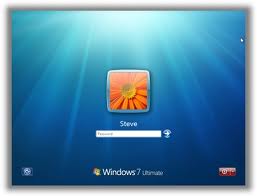
However, in this post I will show you a small trick using which it is possible to use Windows 7 without activation for approximately an year! Here is a way to do that.
Step-1: Go to “Start Menu -> All Programs -> Accessories“.
Right click on the “Command Prompt” and select “Run as Administrator“. If you are not the administrator, then you are prompted to enter the password, or else you can proceed to step-2.
Step-2: Now type the following command and hit Enter:
slmgr -rearm
Step-3: You will be prompted to restart the computer. Once restarted, the trial period will once again be reset to 30 days. You can use the above command for up to 3 times by which you can extend the trial period to 120 days without activation.
Step-4: Now comes the actual trick by which you can extend the trial period for another 240 days. To do this, open the Registry Editor (type regedit in “Run” and hit Enter) and navigate to the following location:
HKEY_LOCAL_MACHINE\SOFTWARE\Microsoft\Windows NT\CurrentVersion\SoftwareProtectionPlatform
Step-5: In the right-side pane, change value of SkipRearm to 1.
Step-6: Now, you should be able to use the slmgr -rearm command for another 8 times so that you can skip the activation process for another 240 days. So you will get 120 + 240 = 360 days of free Windows 7 usage.
120 days using “slmgr -rearm” command before registry edit
+
240 days using “slmgr -rearm” command after registry edit
=      360 Days
I hope you like this post. Please pass your comments…

How to Change the Logon Screen Background in Windows 7


How would you like to change the logon screen background in Windows 7 so as to give your Windows a customized look and feel? With a small tweak it is possible to customize the Windows 7 logon screen and set your own picture/wallpaper as the background. Changing logon screen background in Windows 7 is as simple as changing your desktop wallpaper. Well here is a step by step instruction to customize the logon screen background.

 
1. The image you need to set as the background should be a .jpg file and it’s size should not exceed 245KB.

2. The image resolution can be anything of your choice. However I prefer 1440 x 900 or 1024 x 768. You can use any of the photo editing software such as Photoshop to compress and set the resolution for your image. Once you’re done, save this image as backgroundDefault.jpg.

3. You will need to copy this image to
C:\Windows\system32\oobe\info\backgrounds
You will need to create that path if it does not already exist on your computer.

4. Now open the Registry Editor (Start -> Run -> Type regedit) and navigate to the following key
HKLM\Software\Microsoft\Windows\CurrentVersion\Authentication\
LogonUI\Background
 
If Background does not exist rightclick LogonUI, select New and then Key, and then name it Background. Now locate OEMBackground (listed on the right side). If it does not exist, right-click Background and select New and then DWORD and name it OEMBackground.

5. Double-click on OEMBackground and set the Value Data to 1.

6. Now log-off to see the new logon screen background. If you would like to revert back to the default background, just set the Value Data back to 0.

I hope you like this trick. Just try out and give your feedback!

How to Hack Windows Administrator Password?


This hack will show you how to reset Windows administrator password (for Win 2000, XP, Vista and Win 7) at times when you forget it or when you want to gain access to a computer for which you do not know the password.


Most of us have experienced a situation where in we need to gain access to a computer which is password protected or at times we may forget the administrator password without which it becomes impossible to login to the computer. So here is an excellent hack using which you can reset the password or make the password empty (remove the password) so that you can gain administrator access to the computer. You can do this with a small tool called  Offline NT Password & Registry Editor. This utility works offline, that means you need to shut down your computer and boot off your using a floppy disk, CD or USB device (such as pen drive). The tool has the following features.
  • You do not need to know the old password to set a new one
  • Will detect and offer to unlock locked or disabled out user accounts!
  • There is also a registry editor and other registry utilities that works under linux/unix, and can be used for other things than password editing.

How it works?

Most Windows operating systems stores the login passwords and other encrypted passwords in a file called sam (Security Accounts Manager). This file can be usually found in \windows\system32\config. This file is a part of Windows registry and remains inaccessible as long as the OS is active. Hence it is necessary that you need to boot off your computer and access this sam file via boot. This tool intelligently gains access to this file and will reset/remove the password associated with administrator or any other account.

The download link for both CD and floppy drives along with the complete instructions is given below
Offline NT Password & Reg Editor Download

It is recommended that you download the CD version of the tool since floppy drive is outdated and doesn’t exist in today’s computer. Once you download you’ll get a bootable image which you need to burn it onto your CD. Now boot your computer from this CD and follow the screen instructions to reset the password.

Another simple way to reset non-administrator account passwords

Here is another simple way through which you can reset the password of any non-administrator accounts. The only requirement for this is that you need to have administrator privileges. Here is a step-by-step instruction to accomplish this task.

1. Open the command prompt (Start->Run->type cmd->Enter)

2. Now type net user and hit Enter

3. Now the system will show you a list of user accounts on the computer. Say for example you need to reset the password of the account by name John, then do as follows

4. Type net user John * and hit Enter. Now the system will ask you to enter the new password for the account. That’s it. Now you’ve successfully reset the password for John without knowing his old password.

So in this way you can reset the password of any Windows account at times when you forget it so that you need not re-install your OS for any reason. I hope this helps.

How to Make Invisible Password Protected Folder


Do you want to password protect your folder? Do you want to make it invisible so that it remains unnoticed by the normal users? Well here is a way to do that. In this post I will show you how to make a password protected folder in Windows without using any additional software. Here is is step by step procedure to create a password protected folder.
 

How to create a Password Protected Folder?

 
Step-1: Create a new folder (Right-click -> New -> Folder) and give it any name of your choice. For instance I name it as ABC.

Step-2: Now in this folder place all the important files, documents or any folders that you want to password protect.

Step-3: Now Right-click on this folder (ABC) and select the option Send To -> Compressed (zipped) Folder.

Step-4: Now a new compressed zipped folder gets created next this folder (ABC) with the same name.

Step-5: Double-click on this compressed zipped folder and you should see your original folder (ABC) here.

Step-6: Now goto the File menu and select the option Add a password.
ie: File -> Add a password

Now a small window will pop up and here you can set your desired password. Once the password is set, the folder will ask for the password every time it is opened. Thus you have now created the password protected folder.
 

How to make it Invisible?

 
Step-1: Now Right-click on this password protected folder and select Properties.

Step-2: At the bottom select the option Hidden and press OK. Now your folder gets invisible (hidden).

Step-3: In order to unhide this folder go to My Computer – >Tools -> Folder options. Switch to View tab, scroll down and under Hidden files and folders you’ll see the following two options
  • Do not show hidden files and folders
  • Show hidden files and folders
 
Now select the second option and press OK. Now the invisible folder becomes visible in it’s location. To access it you need the password. To make it invisible again repeat step -1 through step-3 and select the first option and click OK. Now the folder becomes invisible once again.

I hope you like this post. Pass your comments!! Cheers